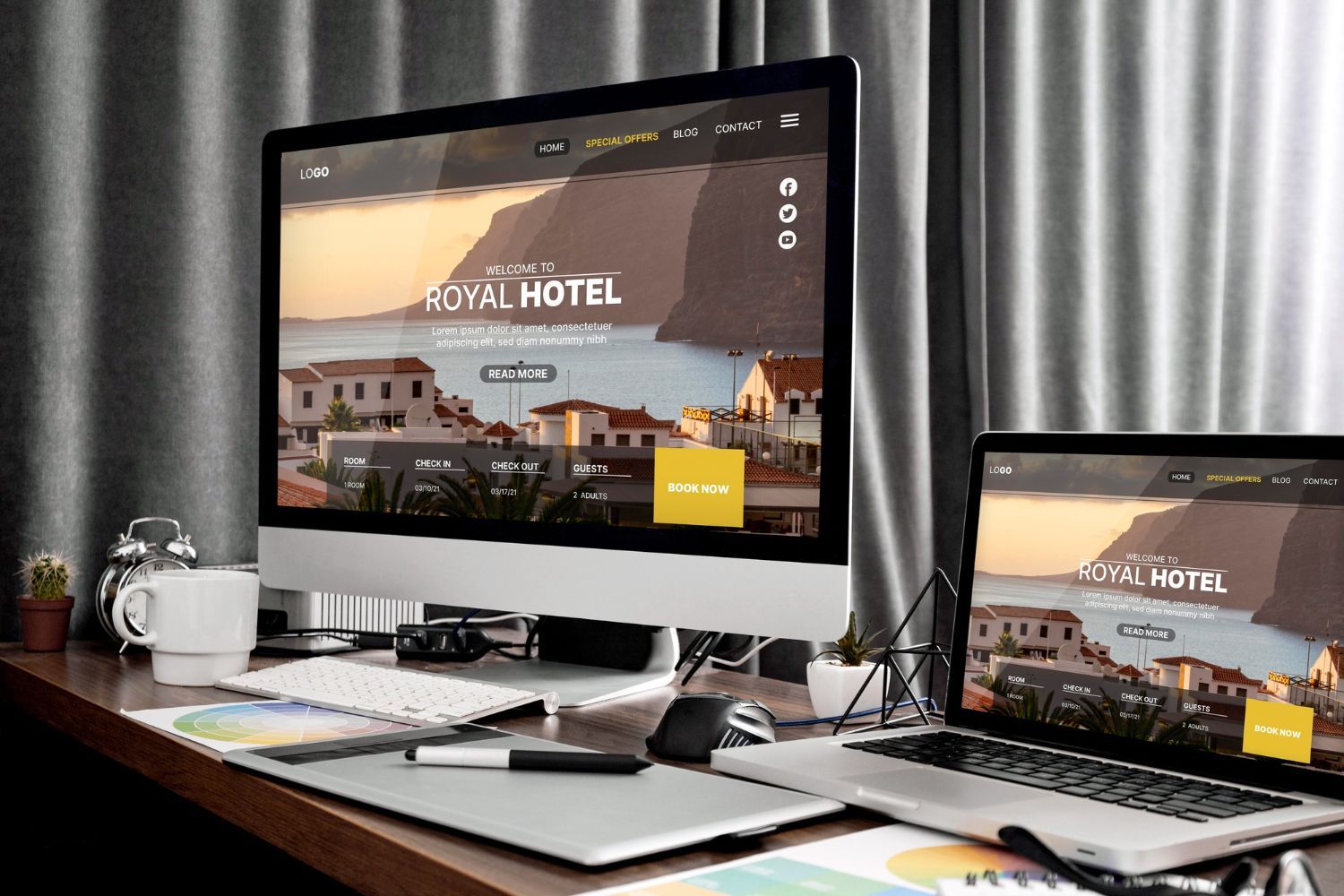

Top 3 Website Mistakes Healthcare Providers Make
April 8, 2026
and how to fix them!
Hello there, Peter Brissette here, Digital Marketing Dude. Welcome to my next video: 3 Website Mistakes Healthcare Professionals Make.
Most healthcare websites are not losing patients because they’re bad providers. They’re losing patients because the website creates confusion, weakens trust, and makes the next step harder than it should be.
Welcome again. I’m Peter Brissette, the Digital Marketing Dude. We’re going to break this down today and talk about the three website mistakes healthcare professionals make.
So what’s happening? What is the problem here? Why are they losing clients?
There are three main reasons I already mentioned: confusion, lack of trust-building, and friction. Clients don’t know what they should do once they get to the website. There’s no opportunity to build trust, and there are lots of challenges with how the website is laid out. It makes it very difficult for clients, prospects, and patients to actually engage and want to do business with that business.
So what is it that visitors actually want?
They want clarity very quickly. You have anywhere between three to seven seconds to grab them, to get them to stay long enough to dig deeper and find out if they want to engage with your business or not. They want to know if you can help them. Are you the right provider for them, and are you able to help solve their problem? They also need to know what to do next. That’s what they’re really thinking about.
So why does this matter?
Well, your website is a lot more than just an online brochure. This is an opportunity for you to communicate to your ideal prospect that you are the right business for them and that you are going to solve the problem. The website is a tool that helps you build the trust you need in order to do that.
It most often is the first point of contact. When people do a search, they’re learning about you. They’re going to dig into your website to really see what you’re about and, again, whether or not you can help them.
When we look at the assets we own versus the assets we rent in digital marketing, your website is one of those things that you own. You have complete control of it. You can make it the best that it can be, and that’s what you need to do.
A high-performing website should guide visitors toward an action: downloading something, booking a meeting, calling, or filling out a form. Something needs to happen, and your website is the place to do that. We have a limited number of eyeballs. It’s not like we can get tens of thousands of views on our website from an ideal prospect. So every prospect that does hit our website, we have to take advantage of that and get the most out of that interaction.
All right. Here are the three mistakes: unclear messaging, no clear call to action, and outdated or cluttered design that hurts trust. Let’s break these down.
Mistake Number One: Unclear Messaging
What does that look like?
It looks like generic headlines such as “Compassionate Care” or “Quality Service.” What does that even mean, and why should your customer care about that? It looks like vague language, no clarity, no specificity, no explanation of services in an easy-to-understand manner, and no clear indication of who the site is for.
Often what we see on websites is that you’re talking all about your business, but you’re not talking to your customer or your prospect. You see pages and pages full of internal language instead of something that is patient-friendly in terms of how it is speaking to them.
You also have to remember the rule of three clicks. If it takes me more than three clicks to get to the information I need, I’m probably gone. That’s too much work and too much friction. When you have to click around too much to get to the right content and the right information, you lose people.
So why does this happen?
A lot of providers assume that visitors already understand what they do, so they’re not really putting themselves in the mind of their prospect or their clients. Or they’re trying to sound too broad. They worry that if they’re too specific, they might limit the right person. So instead of being specific, they are very broad and very generic. Or they try to say too many things in an unorganized way.
I think of a dentist. A dentist can have a very long list of services that they provide, but it needs to be very organized and very easy to navigate on the website. It also needs to be communicated in a way that is easy for those who aren’t dentists to understand and to see what that means for them.
So some key points to remember here:
Don’t make website visitors have to work to understand the site. Don Miller talks about this as cognitive load. If I have to think too much about what your website is saying to me, I’m probably going to go somewhere else. You have to make it very easy for people to understand.
The homepage needs to answer basic questions really quickly: What’s the problem you solve? Who do you solve it for? What’s the next step I need to take?
Clear always beats clever. We’re not trying to be cute. We’re not trying to be clever here. We’re trying to communicate a very clear and specific message. Specific will always beat vague.
So how can we fix this? What do we do?
Use a clear headline at the top of the homepage that clearly states: This is what we do. This is who we do it for. This is the problem we solve. This is who we solve that problem for.
It needs to be very brief.
State exactly what you offer. Talk about who you help. Organize the pages around the patient questions or client questions. What do they need to know? What are they actually looking for when they’re on the website? What questions are they trying to answer?
Way too many websites do not have any frequently asked questions on them. None. So having questions specific to each service, along with general frequently asked questions, is very important to have on a healthcare website.
Use simple, direct language. Simplify it. Take out the jargon. Make it easy to understand. Reduce options and clutter.
So that’s the first thing.
Mistake Number Two: No Clear Call to Action
This is actually a significant problem for almost all small business websites.
So what does this look like?
No visible appointment button. The phone number is hard to find. The contact page is difficult to get to. There are too many competing buttons.
I was looking at a website just the other day, and just above the fold—in that first view—there were four different calls to action. That’s too many. We have to reduce this to a single call to action, and that single call to action should be repeated throughout the page.
If you’re using a mobile device, you also have to think about that mobile user. What’s it like for them? Is it easy for them to make a call or fill out a form? A lot of times the forms are not mobile-friendly.
Again, why does this happen?
Because businesses assume the visitors will figure it out. They focus on explaining the business, not guiding the user. You have to think of yourself as the guide in how you direct the visitor through your website.
There are too many options instead of a clear primary call to action. And the site was designed more for looks—which is important—but it had no conversion thought to it, no thought about how we’re going to help people actually do business with us.
Key points here:
A website should guide visitors toward an action. The next step should be very obvious on the page. Every page should support movement toward contact, booking an appointment, or some type of inquiry—a phone call, whatever it might be.
So what should we do instead?
Choose one primary call to action. What is the number one thing you want a prospect to do when they get to your website? Make that very clear and obvious.
It should be in the header of the page. It should be repeated throughout the page, particularly the homepage. It has to be mobile-friendly. I have to be able to do it on my phone.
Use very specific language, and match that call to action to your business model. Are we trying to book an appointment? Is that what we’re after? Are we trying to get them to make a phone call? Do we want them to fill out a form or request a consultation? What is it we want them to do? Be very specific about that.
All right, mistake number three.
Mistake Number Three: Outdated or Cluttered Design That Hurts Trust
So let’s talk about what that looks like.
Pixelated images. Blurry images. Stock photos that don’t really align with who you are and what you’re doing. There’s a cognitive dissonance there. There’s a separation between the words I’m reading and the image I’m seeing, and the image is totally throwing me off. So having quality images is really important.
Maybe it’s old branding or inconsistent branding. Maybe you have print materials or social media that don’t match the branding on your website. You want to have consistent branding throughout.
It can also look like a crowded layout, too many colors or visual elements, the wrong kind of contrast, hard-to-read text, text that’s too small, or text that doesn’t have a strong enough color. A lot of times, instead of being solid black, it’s a slight gray, and that makes it very hard to read.
It also shows up as not enough spacing, things too close together, pages loading slowly, and sites struggling to actually be mobile-friendly. Pages should not be loading slowly at this point. With all the technology we have now, pages should load quickly, particularly on mobile devices.
So why does this happen?
Because we built the website a few years ago and haven’t touched it since. The last blog post is dated from seven years ago. A website is really never finished. It should be constantly worked on and constantly updated. It’s a never-ending project. It’s a tool to be used, and to be used often, to help promote your business.
Another reason is too much packed into a page. I think you can design a lot of content onto a page as long as it makes sense and as long as it’s a flow that takes people step by step through it. But if you try to put too much information on the page and it’s all over the place with no flow, that’s a problem.
There is often no clear strategy on conversion. How are we going to actually convert people in this process? The site was built quickly and never improved, never updated, never changed. And there isn’t enough thought about why visual trust matters and how important it is.
So what does this hurt?
It hurts trust. That’s what it comes down to. I’m associating your website and how your business operates with the quality of your business. Is your practice going to be the same way your website is? How am I actually going to experience engaging with you and your business?
The clutter makes the site hard to use. Poor design can reduce confidence before a patient ever calls. Building those moments of trust is critically important, and if the website has been neglected, it’s going to call things into question.
Some key points to remember here:
In healthcare, trust is everything. Your website is your first impression. Invest in it. Make it quality. Make sure it does what it needs to do.
A clean design does not just look better; it performs better. Simplicity helps people feel more confident in your business and in doing business with you.
So how do we fix this?
Use clean layouts. That is easier than ever to do with websites. Improve the image quality. You can use some AI images, but so many healthcare sites are very heavy with stock photos. Getting professional images done is a game changer, and if you really want to set yourself apart from your competition, get some professional images made. Hire a photographer and get some really good-quality images.
Make sure fonts and spacing are clear and easy to read. Make sure there is lots of open space on the site. Make it easy to scan. Use more bullet points. Use icons to separate information.
Make sure the mobile experience is dialed in. A higher percentage of people are probably experiencing your website on a mobile device versus somewhere else. Make sure speed is good, responsiveness is good, and the site looks great on different screen sizes.
And take out any unnecessary clutter.
So again, on the homepage you want: a clear headline, a short supporting statement, one main call to action.
In that first above-the-fold view, those three things have to be there and they need to be dialed in. You also want a good, strong supporting photo that supports the headline, the statement, and the call to action. They all go together.
Then below that, you want your trust-building elements: reviews and testimonials from your clients, a brief listing of your services, why people do business with you, and the quick, easy steps they can take to solve the problem they have.
Those are the kinds of things that will build trust.
So those are the three things: unclear messaging, no clear call to action, and outdated, cluttered design that hurts trust.
So what can you do next here?
We’d like to give you some feedback on your website and point out where some of the challenges are, while also giving you specific recommendations on how you can fix them. You can get a free review of your website.
To do that, go to freewebreview.com . Put in your name, your email address, and your website. We will take that information and build a personalized video walkthrough of your website with very specific suggestions on how you can make improvements.
We’re going to look at your homepage. We’re going to look at your headline, your supporting headlines, and your calls to action. We’re going to run this through our tools and look at how your website is being viewed by AI. Are you even showing up in the AI tools, and do you have the things necessary built into your website right now so that you can support Google E-E-A-T?
We’ll talk more about that when we follow up, but it’s very important to have those things ready and in place. We’re also going to send you some checklists to help you review that. It’s going to be a very detailed report that we send out to you.
It takes us a couple of days to do this because we actually use human power—not just AI power—to evaluate your website.
So please check out freewebreview.com , and be looking for our next video out here on YouTube and on social media.
We’ll talk to you in the next video. Take care.
Most healthcare websites are not losing patients because they’re bad providers. They’re losing patients because the website creates confusion, weakens trust, and makes the next step harder than it should be.
Welcome again. I’m Peter Brissette, the Digital Marketing Dude. We’re going to break this down today and talk about the three website mistakes healthcare professionals make.
So what’s happening? What is the problem here? Why are they losing clients?
There are three main reasons I already mentioned: confusion, lack of trust-building, and friction. Clients don’t know what they should do once they get to the website. There’s no opportunity to build trust, and there are lots of challenges with how the website is laid out. It makes it very difficult for clients, prospects, and patients to actually engage and want to do business with that business.
So what is it that visitors actually want?
They want clarity very quickly. You have anywhere between three to seven seconds to grab them, to get them to stay long enough to dig deeper and find out if they want to engage with your business or not. They want to know if you can help them. Are you the right provider for them, and are you able to help solve their problem? They also need to know what to do next. That’s what they’re really thinking about.
So why does this matter?
Well, your website is a lot more than just an online brochure. This is an opportunity for you to communicate to your ideal prospect that you are the right business for them and that you are going to solve the problem. The website is a tool that helps you build the trust you need in order to do that.
It most often is the first point of contact. When people do a search, they’re learning about you. They’re going to dig into your website to really see what you’re about and, again, whether or not you can help them.
When we look at the assets we own versus the assets we rent in digital marketing, your website is one of those things that you own. You have complete control of it. You can make it the best that it can be, and that’s what you need to do.
A high-performing website should guide visitors toward an action: downloading something, booking a meeting, calling, or filling out a form. Something needs to happen, and your website is the place to do that. We have a limited number of eyeballs. It’s not like we can get tens of thousands of views on our website from an ideal prospect. So every prospect that does hit our website, we have to take advantage of that and get the most out of that interaction.
All right. Here are the three mistakes: unclear messaging, no clear call to action, and outdated or cluttered design that hurts trust. Let’s break these down.
Mistake Number One: Unclear Messaging
What does that look like?
It looks like generic headlines such as “Compassionate Care” or “Quality Service.” What does that even mean, and why should your customer care about that? It looks like vague language, no clarity, no specificity, no explanation of services in an easy-to-understand manner, and no clear indication of who the site is for.
Often what we see on websites is that you’re talking all about your business, but you’re not talking to your customer or your prospect. You see pages and pages full of internal language instead of something that is patient-friendly in terms of how it is speaking to them.
You also have to remember the rule of three clicks. If it takes me more than three clicks to get to the information I need, I’m probably gone. That’s too much work and too much friction. When you have to click around too much to get to the right content and the right information, you lose people.
So why does this happen?
A lot of providers assume that visitors already understand what they do, so they’re not really putting themselves in the mind of their prospect or their clients. Or they’re trying to sound too broad. They worry that if they’re too specific, they might limit the right person. So instead of being specific, they are very broad and very generic. Or they try to say too many things in an unorganized way.
I think of a dentist. A dentist can have a very long list of services that they provide, but it needs to be very organized and very easy to navigate on the website. It also needs to be communicated in a way that is easy for those who aren’t dentists to understand and to see what that means for them.
So some key points to remember here:
Don’t make website visitors have to work to understand the site. Don Miller talks about this as cognitive load. If I have to think too much about what your website is saying to me, I’m probably going to go somewhere else. You have to make it very easy for people to understand.
The homepage needs to answer basic questions really quickly: What’s the problem you solve? Who do you solve it for? What’s the next step I need to take?
Clear always beats clever. We’re not trying to be cute. We’re not trying to be clever here. We’re trying to communicate a very clear and specific message. Specific will always beat vague.
So how can we fix this? What do we do?
Use a clear headline at the top of the homepage that clearly states: This is what we do. This is who we do it for. This is the problem we solve. This is who we solve that problem for.
It needs to be very brief.
State exactly what you offer. Talk about who you help. Organize the pages around the patient questions or client questions. What do they need to know? What are they actually looking for when they’re on the website? What questions are they trying to answer?
Way too many websites do not have any frequently asked questions on them. None. So having questions specific to each service, along with general frequently asked questions, is very important to have on a healthcare website.
Use simple, direct language. Simplify it. Take out the jargon. Make it easy to understand. Reduce options and clutter.
So that’s the first thing.
Mistake Number Two: No Clear Call to Action
This is actually a significant problem for almost all small business websites.
So what does this look like?
No visible appointment button. The phone number is hard to find. The contact page is difficult to get to. There are too many competing buttons.
I was looking at a website just the other day, and just above the fold—in that first view—there were four different calls to action. That’s too many. We have to reduce this to a single call to action, and that single call to action should be repeated throughout the page.
If you’re using a mobile device, you also have to think about that mobile user. What’s it like for them? Is it easy for them to make a call or fill out a form? A lot of times the forms are not mobile-friendly.
Again, why does this happen?
Because businesses assume the visitors will figure it out. They focus on explaining the business, not guiding the user. You have to think of yourself as the guide in how you direct the visitor through your website.
There are too many options instead of a clear primary call to action. And the site was designed more for looks—which is important—but it had no conversion thought to it, no thought about how we’re going to help people actually do business with us.
Key points here:
A website should guide visitors toward an action. The next step should be very obvious on the page. Every page should support movement toward contact, booking an appointment, or some type of inquiry—a phone call, whatever it might be.
So what should we do instead?
Choose one primary call to action. What is the number one thing you want a prospect to do when they get to your website? Make that very clear and obvious.
It should be in the header of the page. It should be repeated throughout the page, particularly the homepage. It has to be mobile-friendly. I have to be able to do it on my phone.
Use very specific language, and match that call to action to your business model. Are we trying to book an appointment? Is that what we’re after? Are we trying to get them to make a phone call? Do we want them to fill out a form or request a consultation? What is it we want them to do? Be very specific about that.
All right, mistake number three.
Mistake Number Three: Outdated or Cluttered Design That Hurts Trust
So let’s talk about what that looks like.
Pixelated images. Blurry images. Stock photos that don’t really align with who you are and what you’re doing. There’s a cognitive dissonance there. There’s a separation between the words I’m reading and the image I’m seeing, and the image is totally throwing me off. So having quality images is really important.
Maybe it’s old branding or inconsistent branding. Maybe you have print materials or social media that don’t match the branding on your website. You want to have consistent branding throughout.
It can also look like a crowded layout, too many colors or visual elements, the wrong kind of contrast, hard-to-read text, text that’s too small, or text that doesn’t have a strong enough color. A lot of times, instead of being solid black, it’s a slight gray, and that makes it very hard to read.
It also shows up as not enough spacing, things too close together, pages loading slowly, and sites struggling to actually be mobile-friendly. Pages should not be loading slowly at this point. With all the technology we have now, pages should load quickly, particularly on mobile devices.
So why does this happen?
Because we built the website a few years ago and haven’t touched it since. The last blog post is dated from seven years ago. A website is really never finished. It should be constantly worked on and constantly updated. It’s a never-ending project. It’s a tool to be used, and to be used often, to help promote your business.
Another reason is too much packed into a page. I think you can design a lot of content onto a page as long as it makes sense and as long as it’s a flow that takes people step by step through it. But if you try to put too much information on the page and it’s all over the place with no flow, that’s a problem.
There is often no clear strategy on conversion. How are we going to actually convert people in this process? The site was built quickly and never improved, never updated, never changed. And there isn’t enough thought about why visual trust matters and how important it is.
So what does this hurt?
It hurts trust. That’s what it comes down to. I’m associating your website and how your business operates with the quality of your business. Is your practice going to be the same way your website is? How am I actually going to experience engaging with you and your business?
The clutter makes the site hard to use. Poor design can reduce confidence before a patient ever calls. Building those moments of trust is critically important, and if the website has been neglected, it’s going to call things into question.
Some key points to remember here:
In healthcare, trust is everything. Your website is your first impression. Invest in it. Make it quality. Make sure it does what it needs to do.
A clean design does not just look better; it performs better. Simplicity helps people feel more confident in your business and in doing business with you.
So how do we fix this?
Use clean layouts. That is easier than ever to do with websites. Improve the image quality. You can use some AI images, but so many healthcare sites are very heavy with stock photos. Getting professional images done is a game changer, and if you really want to set yourself apart from your competition, get some professional images made. Hire a photographer and get some really good-quality images.
Make sure fonts and spacing are clear and easy to read. Make sure there is lots of open space on the site. Make it easy to scan. Use more bullet points. Use icons to separate information.
Make sure the mobile experience is dialed in. A higher percentage of people are probably experiencing your website on a mobile device versus somewhere else. Make sure speed is good, responsiveness is good, and the site looks great on different screen sizes.
And take out any unnecessary clutter.
So again, on the homepage you want: a clear headline, a short supporting statement, one main call to action.
In that first above-the-fold view, those three things have to be there and they need to be dialed in. You also want a good, strong supporting photo that supports the headline, the statement, and the call to action. They all go together.
Then below that, you want your trust-building elements: reviews and testimonials from your clients, a brief listing of your services, why people do business with you, and the quick, easy steps they can take to solve the problem they have.
Those are the kinds of things that will build trust.
So those are the three things: unclear messaging, no clear call to action, and outdated, cluttered design that hurts trust.
So what can you do next here?
We’d like to give you some feedback on your website and point out where some of the challenges are, while also giving you specific recommendations on how you can fix them. You can get a free review of your website.
To do that, go to freewebreview.com . Put in your name, your email address, and your website. We will take that information and build a personalized video walkthrough of your website with very specific suggestions on how you can make improvements.
We’re going to look at your homepage. We’re going to look at your headline, your supporting headlines, and your calls to action. We’re going to run this through our tools and look at how your website is being viewed by AI. Are you even showing up in the AI tools, and do you have the things necessary built into your website right now so that you can support Google E-E-A-T?
We’ll talk more about that when we follow up, but it’s very important to have those things ready and in place. We’re also going to send you some checklists to help you review that. It’s going to be a very detailed report that we send out to you.
It takes us a couple of days to do this because we actually use human power—not just AI power—to evaluate your website.
So please check out freewebreview.com , and be looking for our next video out here on YouTube and on social media.
We’ll talk to you in the next video. Take care.
AI Generated Summary
This post explains why many healthcare websites fail to convert visitors into patients, even when the provider offers excellent care. The problem is often not the business itself, but the website experience. According to the transcript, the three biggest issues are unclear messaging, no clear call to action, and outdated or cluttered design. The post argues that healthcare visitors want three things quickly: clarity, confidence, and direction. They want to know whether the provider can help them, whether they trust the business, and what they should do next. When a website is vague, difficult to navigate, or visually outdated, it creates confusion and friction that causes potential patients to leave. A strong healthcare website should do more than look professional. It should clearly communicate what the practice offers, guide users toward a next step, and build trust through good design, fast performance, and patient-focused messaging.Key Takeaways
- Many healthcare websites lose patients because the site creates confusion and friction, not because the provider lacks skill.
- Visitors need to understand within seconds what the business does, who it helps, and what to do next.
- Unclear messaging makes it harder for potential patients to know if they are in the right place.
- Weak or missing calls to action reduce conversions by making the next step feel unclear or inconvenient.
- Outdated, cluttered, or poorly maintained design can hurt trust and lower confidence in the business.
- Healthcare websites should be built to guide action, not just display information.
- A better homepage includes a clear headline, a short supporting statement, one primary call to action, a strong visual, and trust-building elements.
- Mobile usability, fast load speed, readable text, and strong visual consistency all matter.
- FAQs, testimonials, service summaries, and simple patient-focused language can improve both trust and usability.
- Small improvements to clarity, design, and conversion structure can make a meaningful difference in results.
Detailed Outline
1. Introduction to the Topic
- The speaker introduces the video and frames the topic around healthcare website performance.
- The core claim is that many healthcare businesses are losing patients because their website creates confusion, weakens trust, and makes the next step more difficult than it should be.
- The rest of the video is organized around three common website mistakes.
2. The Core Problem
- Healthcare websites often fail in three key ways:
- they confuse visitors
- they do not build trust effectively
- they create too much friction
- This makes it harder for prospects, patients, and clients to engage with the business.
- The website experience can quietly drive people away before they ever make contact.
3. What Visitors Actually Want
- Visitors want clarity immediately.
- They often decide within a few seconds whether to stay on the site.
- They want to know:
- can this provider help me
- is this the right fit
- what should I do next
- If those questions are not answered quickly, they are likely to leave.
4. Why the Website Matters
- The website is more than an online brochure.
- It is often the first point of contact for a potential patient.
- It is one of the digital assets the business owns and fully controls.
- A good website should guide visitors toward an action such as calling, filling out a form, booking an appointment, or requesting information.
- Because healthcare businesses do not get unlimited high-quality traffic, every visit matters.
5. The Three Main Mistakes
- Unclear messaging
- No clear call to action
- Outdated or cluttered design that hurts trust
6. Mistake #1: Unclear Messaging
What it looks like
- Generic headlines such as “compassionate care” or “quality service”
- Vague messaging with little specificity
- Services are not explained clearly
- The site does not quickly show who the services are for
- The language is internal or business-focused rather than patient-focused
Why it happens
- Providers assume visitors already understand what they do
- Businesses try to sound broad instead of specific
- They worry that being specific will narrow their audience
- They try to communicate too many things at once
- Content is not organized around user understanding
Why it hurts
- Visitors do not know whether they are in the right place
- Important information is harder to find
- Excessive clicking creates friction
- The more effort it takes to understand the site, the more likely visitors are to leave
Main principles
- Reduce cognitive load
- Answer basic questions quickly
- Clear beats clever
- Specific beats vague
Suggested solutions
- Use a clear homepage headline
- Explain what problem is solved and for whom
- State services directly
- Organize pages around patient questions
- Add relevant FAQs
- Use simple, direct language
- Eliminate clutter and unnecessary options
7. Mistake #2: No Clear Call to Action
What it looks like
- No visible appointment or booking button
- Phone number is difficult to find
- Contact page is buried
- Multiple competing buttons create confusion
- Calls to action are not repeated throughout the page
- Mobile users struggle to call or complete a form
Why it happens
- The business assumes visitors will figure it out
- The site focuses more on explanation than guidance
- There are too many options and no clear primary action
- The site was designed for appearance instead of conversion
Why it hurts
- Visitors do not know what to do next
- Interested prospects leave without contacting the business
- Friction reduces motivation
- Easy conversion opportunities are lost
Main principles
- A website should guide people toward action
- The next step should be obvious
- Every page should support contact, booking, or inquiry
Suggested solutions
- Choose one primary call to action
- Put it in the header
- Repeat it throughout the homepage
- Make it mobile-friendly
- Use direct CTA language
- Match the CTA to the business model
8. Mistake #3: Outdated or Cluttered Design That Hurts Trust
What it looks like
- Blurry or pixelated images
- Generic stock photos that feel disconnected from the business
- Inconsistent branding
- Crowded layouts
- Too many colors or visual elements
- Hard-to-read text
- Poor spacing
- Slow-loading pages
- Weak mobile responsiveness
Why it happens
- The website has not been updated in years
- Too much content is packed into a page without structure
- There is no clear design or conversion strategy
- The site was built quickly and never improved
- The business underestimates the importance of visual trust
Why it hurts
- Visitors associate site quality with business quality
- Clutter makes the site more difficult to use
- Poor design lowers confidence before a patient ever reaches out
- A neglected website creates doubt about the professionalism of the practice
Main principles
- Trust matters deeply in healthcare
- The website shapes the first impression
- Clean design performs better
- Simplicity helps users feel confident
Suggested solutions
- Use a clean layout
- Improve image quality
- Use professional photography where possible
- Improve fonts and spacing
- Make pages easier to scan
- Use bullets and icons to break up content
- Optimize for mobile
- Improve load speed
- Remove unnecessary clutter
9. What a Better Homepage Should Include
- A clear headline
- A short supporting statement
- One main call to action above the fold
- A strong supporting image
- Trust-building elements below the fold
- Reviews and testimonials
- A brief list of services
- Reasons to choose the practice
- Simple steps showing how to get started
10. Final Recap
- The speaker summarizes the three main issues:
- unclear messaging
- weak or missing call to action
- outdated or cluttered design
- These problems are common, but they are also fixable.
- Small improvements in these areas can strengthen trust and improve results.
11. Offer and Next Step
- The speaker offers a free website review
- Viewers can submit their name, email, and website
- They will receive a personalized video walkthrough with recommendations
- The review includes analysis of headlines, supporting copy, calls to action, AI visibility, and overall site structure
- Additional checklists and detailed guidance are also mentioned
12. Closing
- The audience is invited to request a review
- The speaker points viewers toward future content on YouTube and social media
- The video ends with a brief sign-off
Conclusion
The main lesson from this transcript is that a healthcare website should not just exist as a digital placeholder. It should actively support the business by helping visitors feel informed, confident, and ready to take the next step. When messaging is clear, design builds trust, and calls to action are obvious, the website becomes a tool that supports patient growth rather than holding it back. For healthcare businesses, improving a website does not always require a complete rebuild. In many cases, the biggest gains come from simplifying the message, reducing friction, and making the site easier to trust and use.Recent Posts
March 2, 2026
Avoid common pitfalls with your author website. Optimize your domain & SEO. Get your free website review today!

January 27, 2026
Learn how to stop spam from invading your website. Use contact forms & CAPTCHA for protection. Get started today!
December 11, 2025
Google now allows anonymous reviews to boost customer trust. Get help with your digital marketing today!
May 27, 2025
Facebook Profiles vs. Professional Mode vs. Business Pages: What’s Best for You and Why It Matters
By peter
•
April 8, 2025
If you're trying to figure out how to make your website more visible on Google, you're not alone. One of the most common questions small business owners ask is: “What should I do to actually get found online?”
March 7, 2025
How to setup a lead magnet to capture emails on Wix Website with Mailchimp from the best in website design in Westminster, CO